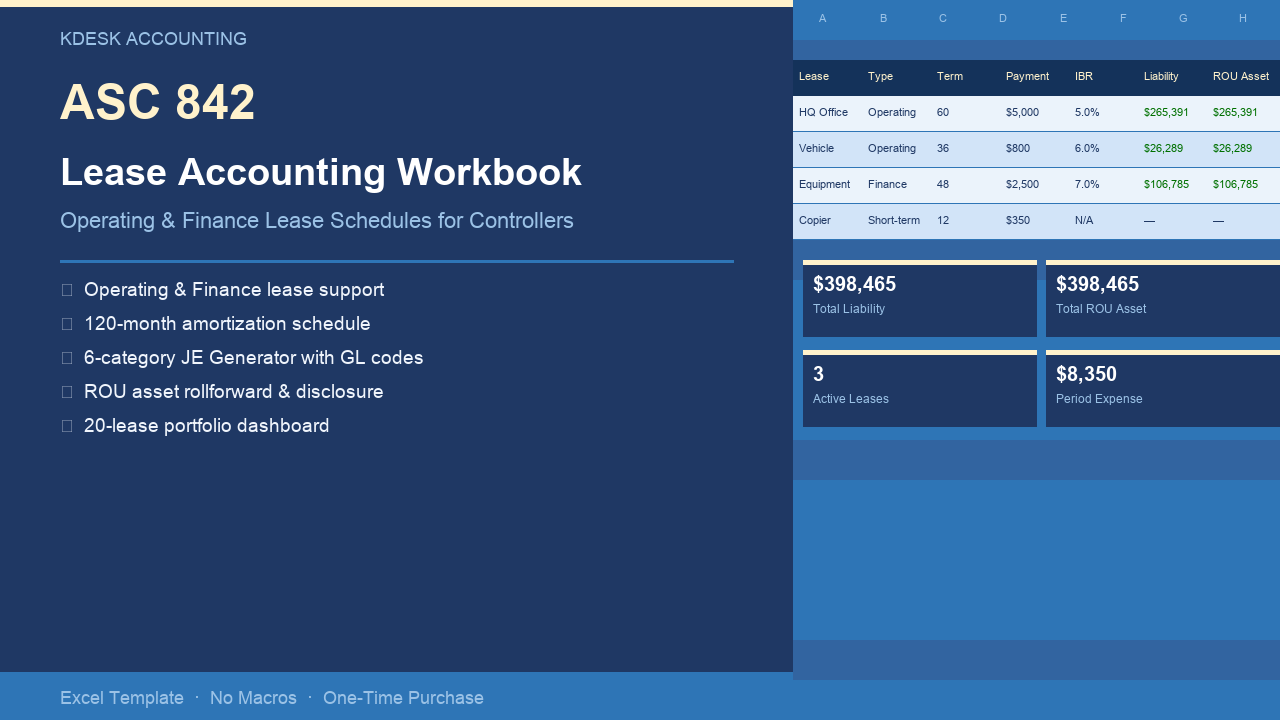
If you’re implementing ASC 842 for the first time, or your current spreadsheet breaks every time a lease changes, this workbook handles the math correctly and produces audit-ready output. $97, one-time purchase. No subscription. No macros.
What’s in the Workbook
Seven tabs, each with a specific job. You enter data in Setup and the Lease Register; every other tab calculates automatically.
Setup
Company name, incremental borrowing rate (IBR) defaults, fiscal year start, and reporting period selector. Every downstream tab — amortization schedules, journal entries, rollforward, disclosure — reads from Setup. Change the reporting period once; the entire workbook shifts.
Lease Register (20-lease capacity)
One row per lease. Inputs: lease type (operating or finance), commencement date, term in months, monthly payment, IBR, initial direct costs (IDC), lease incentives, and prepaid rent. The ROU asset and opening lease liability calculate automatically from your inputs. No formulas to write.
Amortization Schedule (120-month per lease)
For each lease: beginning liability, interest accrual, cash payment, principal reduction, ending liability, beginning ROU balance, ROU amortization, ending ROU balance. Non-chained PV formulas mean no cascading errors when a lease is modified — change an input, the schedule recalculates cleanly.
JE Generator
Six journal entry categories aggregated for the selected reporting period: operating lease expense, finance lease depreciation, finance lease interest, capitalization of new leases, derecognition of terminated leases, and short-term lease expense. GL account codes are user-configurable from Setup. Copy-paste ready for your accounting system.
Balance Sheet Rollforward
Opening balance, additions (new leases), reductions (amortization, terminations), and closing balance — split between current and non-current portions, for both operating and finance leases. Ties directly to the JE Generator.
Disclosure Table
Maturity analysis bucketed by year: within 1 year, 1–3 years, 3–5 years, beyond 5 years, plus total. Weighted-average remaining lease term and weighted-average IBR. Formatted for direct use in financial statement footnotes.
Reconciliation
Confirms the schedule ties to $0 variance every period. If the workbook has an error, this tab will show it.
A Worked Example — Office Lease, Month 1
To make the mechanics concrete: a 36-month office lease at $5,000/month, 6% IBR, no initial direct costs or incentives.
Opening lease liability = PV(6%/12, 36, 5000) = $164,029
ROU asset = $164,029 (equal to liability when no IDC or incentives)
Month 1 amortization schedule:
| Column | Month 1 |
|---|---|
| Beginning liability | $164,029 |
| Interest accrual (6%/12 × $164,029) | $820 |
| Cash payment | $5,000 |
| Principal reduction | $4,180 |
| Ending liability | $159,849 |
| ROU asset amortization | $4,180 |
| Ending ROU balance | $159,849 |
JE Generator output for Month 1:
DR  Lease Expense               5,000
DR  Lease Liability             4,180
    CR  Cash                              5,000
    CR  Right-of-Use Asset                4,180
All of this is automatic. You enter the inputs in the Lease Register; every number is calculated across all 120 periods.
Finance Lease — How It Differs
Finance leases use a different income statement treatment: straight-line depreciation on the ROU asset plus front-loaded interest expense on the liability. The JE Generator handles both types automatically based on the lease classification you enter in the register.
Example: $2,500/month equipment lease, 48 months, 7% IBR.
- Opening liability = PV(7%/12, 48, 2500) = $106,785
- Monthly depreciation = $106,785 ÷ 48 = $2,225
- Month 1 interest = $106,785 × 7%/12 = $623
Month 1 JE Generator output:
DR  Depreciation Expense        2,225
DR  Interest Expense              623
DR  Lease Liability             1,877
    CR  Accumulated Depreciation          2,225
    CR  Cash                              2,500
The workbook generates separate depreciation and interest lines for finance leases automatically. No manual split required.
Short-Term Lease Exemption
Mark a lease as “Short-Term” in the register and the workbook skips ROU asset and liability recognition entirely. The payment runs directly to the JE Generator as straight operating expense. The short-term election is made per lease — you can mix short-term and capitalized leases in the same workbook.
Who This Is For
- Controllers at Series A–C SaaS companies implementing ASC 842 for the first time
- Finance managers maintaining a fragile manual lease spreadsheet that breaks when leases change
- Companies with 1–20 active leases needing audit-defensible schedules
- Teams preparing for their first audit or audit committee review
- Any finance team spending more than 2 hours per month close on lease journal entries
What It Is Not
This workbook is designed for companies with up to 20 leases. If you have 50–100+ leases, purpose-built lease accounting software (iLease, LeaseQuery, Occupier) is the right tool. This workbook does not handle lessor accounting, sale-leaseback accounting, or real-time system integration. It is a standalone Excel file — there is no cloud sync, no API, no subscription.
Technical Specifications
| Specification | Detail |
|---|---|
| Lease capacity | 20 leases |
| Schedule length | 120 months per lease |
| Lease types | Operating and Finance |
| Excel version | 2016, 365, Mac (no macros) |
| File format | .xlsx |
| Formula protection | Locked formula cells, unlocked input cells |
| Price | $97 one-time |
Get the Workbook
Not ready to buy? Try the free 3-lease version — same structure, limited to 3 leases. See how the schedule, JE Generator, and reconciliation work before committing.
Frequently Asked Questions
Does it handle both operating and finance leases? Yes. Each lease in the register has a type dropdown — operating or finance. The amortization schedule, JE Generator, and rollforward all adjust automatically.
Does it work on a Mac? Yes. The workbook uses pure Excel formulas — no VBA macros, no Windows-only features. It works on Excel 2016, Excel 365, and Excel for Mac.
What if I need to modify a lease mid-term? Update the inputs in the Lease Register (new term, new payment, new IBR as of the modification date). The schedule recalculates from that point. You handle the remeasurement journal entry in your accounting system using the output from the JE Generator.
Can I use it for IFRS 16? The underlying PV math and amortization logic is identical. Classify all leases as “Finance” and the workbook produces depreciation + interest output consistent with IFRS 16 treatment. Income statement presentation and cash flow classification differ between ASC 842 and IFRS 16, but the schedule mechanics are the same.
What if I have more than 20 leases? Email hello@kdeskaccounting.com — we can discuss a custom build.